

Description
Download Symbaloo – Visual Bookmarking Tool, Free & Secure
Overview
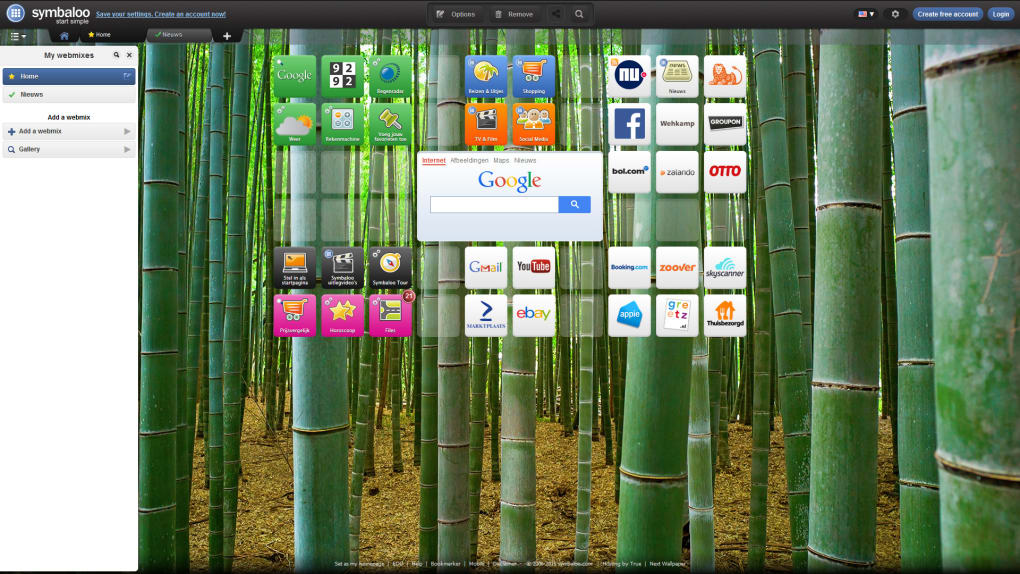
Symbaloo is a visual bookmarking platform that transforms the chaotic list of browser favorites into a clean, tile‑based dashboard you can access from any device. The service works through a web portal, browser extensions for Chrome, Firefox, Edge and Safari, and dedicated mobile apps for iOS and Android. By logging into your Symbaloo account, you instantly sync every tile, icon, and color‑coded category across desktops, laptops, tablets, and smartphones. The core idea is simple: click the extension icon, name the bookmark, pick an icon and a background hue, and the tile appears on your personal Symbaloo homepage. When you revisit the site, all your saved tiles are ready for one‑click navigation.
The platform markets itself as a “bookmark manager for the modern web,” promising a clutter‑free way to organize research, school resources, work tools, and personal interests. While the concept is compelling, the execution has mixed results. The browser extension is lightweight and responsive, the mobile apps are intuitive, and the synchronization is truly real‑time. However, the public homepage—where you see a grid of tiles when you first log in—suffers from a dated design, inconsistent translations, and occasional grammatical errors that give the impression of a rushed product. Moreover, Symbaloo forces you to stay logged in to create or edit bookmarks, which means you can’t quickly save a temporary link without an account.
Overall, Symbaloo delivers a secure, free way to keep your favorite sites at your fingertips, but the aesthetic and usability quirks of the main dashboard may turn some power users toward more polished alternatives. The following sections dive deeper into the features, installation process, system compatibility, and the pros and cons that matter most when deciding whether to adopt Symbaloo as your primary bookmarking tool.
Key Features & Benefits
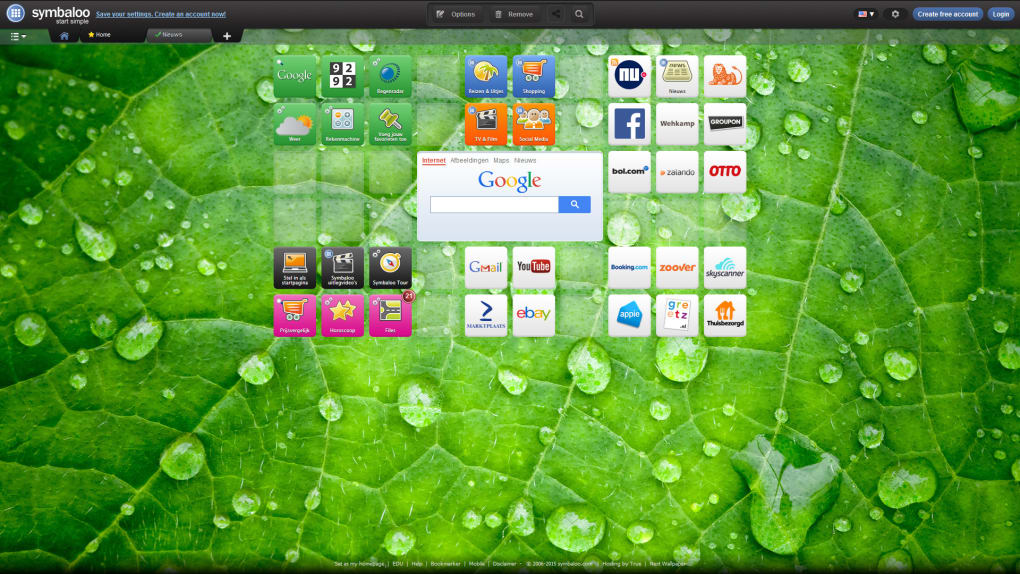
- Tile‑Based Visual Dashboard: Each bookmark appears as a colorful tile that can be customized with icons, labels, and background colors, making it easy to identify at a glance.
- Cross‑Platform Sync: Changes made on a desktop extension instantly propagate to iOS and Android apps, ensuring you always have the latest set of tiles wherever you go.
- One‑Click Bookmarking: The browser extension adds a simple “Add to Symbaloo” button that opens a quick editor, letting you name the bookmark, select an icon from an extensive library, and assign a tile color—all without leaving the page you’re on.
- Secure Cloud Storage: All bookmarks are stored on Symbaloo’s encrypted servers, meaning you never lose your tiles even if you switch devices or clear your browser cache.
- Folder‑Like Organization: Tiles can be grouped into “Webmixes,” which act as visual folders for different topics such as “Work,” “Education,” or “Entertainment.” Each Webmix can be shared via a simple URL, facilitating collaboration.
- Search & Filter: The dashboard includes a built‑in search bar that filters tiles in real time, and you can also filter by color or tag for rapid retrieval.
- Free Tier with Optional Upgrades: The core functionality is free for unlimited users, while premium plans unlock advanced analytics, custom branding, and additional storage for corporate teams.
- Privacy Controls: Users can set individual tiles or entire Webmixes to private, public, or password‑protected, giving fine‑grained control over who sees each bookmark.
These features collectively aim to reduce the friction of managing large collections of URLs. By turning a plain list into a visually engaging grid, Symbaloo helps you remember why you saved a link in the first place. The ability to color‑code and label tiles means you can build mental associations—green for finance, blue for education, red for urgent tasks—without relying on browser history or folder hierarchies.
From a productivity standpoint, the platform shines when used as a personal knowledge hub. Students can create a “Study Resources” Webmix filled with scholarly articles, lecture recordings, and citation managers. Professionals can assemble a “Project Dashboard” containing project management tools, client portals, and quick‑access documentation. Because every change syncs instantly, you never need to email yourself a list of links or worry about outdated shortcuts on different devices.
However, the visual nature also introduces a learning curve for users accustomed to traditional bookmark lists. New users may need a few minutes to understand how to create Webmixes, assign colors, and navigate the tile layout efficiently. The platform’s reliance on visual cues means that accessibility for screen‑reader users can be limited unless they enable the high‑contrast mode, which is still in beta. Still, for most mainstream users who enjoy a graphic interface, Symbaloo offers a refreshing alternative to the textual clutter of conventional browsers.
Installation, Usage & Compatibility
Step‑by‑Step Installation
Getting started with Symbaloo is straightforward. Follow these steps to set up the tool on your preferred device:
- Create a free account: Visit symbaloo.com and click “Sign Up.” Provide an email address, create a password, and verify your account via the confirmation email.
- Install the browser extension: For Chrome, go to the Chrome Web Store and search “Symbaloo Bookmarker.” Click “Add to Chrome,” confirm the permissions, and the icon will appear in the top‑right toolbar. Firefox, Edge, and Safari users can find equivalent extensions in their respective stores.
- Download mobile apps: Open the App Store (iOS) or Google Play Store (Android), search for “Symbaloo,” and install the official app. The apps are free and require the same login credentials used for the web version.
- Configure initial settings: Once logged in, you’ll be prompted to choose a default theme (light or dark) and optionally enable two‑factor authentication for added security.
- Start adding tiles: Click the extension icon on any webpage, fill in the bookmark name, select an icon from the built‑in library, pick a tile color, and click “Create.” The tile appears instantly on your dashboard.
How to Use Symbaloo Effectively
After installation, the real power of Symbaloo emerges when you organize your tiles into logical Webmixes. Here’s a quick workflow:
- Create a Webmix: From the dashboard, click “New Webmix,” name it (e.g., “Marketing Resources”), and choose a background image.
- Add tiles to a Webmix: Drag existing tiles into the Webmix or use the “Add Tile” button inside the Webmix view to create new bookmarks directly within that folder.
- Share a Webmix: Click the share icon, copy the generated URL, and distribute it to teammates or classmates. You can set the sharing level to “Public,” “Private,” or “Password‑Protected.”
- Search and filter: Use the top‑right search bar to locate a tile by name, tag, or URL. Color filters help you quickly isolate a specific category.
Because every action syncs to the cloud, you can begin a research session on your laptop, continue on a tablet during a commute, and finish on a phone while waiting in line—all without missing a beat.
Compatibility
Symbaloo is designed to be platform‑agnostic. It works on the following operating systems and browsers:
- Windows 10, 11 (Chrome, Edge, Firefox, Safari)
- macOS Monterey, Ventura (Chrome, Safari, Firefox)
- Linux distributions with Chromium‑based browsers (Chrome, Edge)
- iOS 13+ (iPhone, iPad) – Symbaloo app
- Android 8.0+ – Symbaloo app
The web portal is fully responsive, so you can also access your dashboard through any modern mobile browser without installing the native app. The extension’s footprint is under 2 MB, ensuring minimal impact on browser performance. Updates are delivered automatically through the respective extension stores and app marketplaces, keeping the software secure and up‑to‑date.
Pros, Cons & Frequently Asked Questions
Pros
- Visually appealing tile‑based layout that simplifies navigation.
- Real‑time synchronization across all major platforms.
- Free core version with robust features; premium tier optional.
- Secure cloud storage with optional two‑factor authentication.
- Easy sharing of Webmixes for collaboration.
- Customizable icons, colors, and tags for personal organization.
Cons
- Requires an active account to save any bookmark; no offline “quick‑save” mode.
- The public dashboard UI feels dated and contains occasional grammar/translation errors.
- Limited accessibility options for visually impaired users.
- Advanced analytics and branding are locked behind paid plans.
- Search functionality can be slower with very large numbers of tiles.
FAQ
Is Symbaloo free to use?
Yes, Symbaloo offers a free tier that includes unlimited tiles, cross‑platform sync, and basic sharing options. Premium plans add analytics, custom branding, and increased storage for teams.
Can I use Symbaloo without an internet connection?
The web dashboard requires an internet connection to load and sync. However, the mobile apps cache your tiles locally, allowing you to open saved bookmarks offline as long as the target websites themselves are reachable.
How secure is my bookmark data?
Symbaloo stores bookmarks on encrypted servers and supports two‑factor authentication for added protection. Your data is not publicly visible unless you explicitly share a Webmix or set a tile to public.
Can I import bookmarks from other browsers?
Yes. In the dashboard, go to Settings → Import/Export and upload an HTML bookmark file exported from Chrome, Firefox, or Edge. Symbaloo will convert each entry into a tile.
Is there a way to customize the look of my dashboard?
You can choose from several pre‑made themes, adjust tile colors individually, and set a background image for each Webmix. Premium users also get the option to apply custom CSS for deeper visual tweaks.
Conclusion & Call to Action
Symbaloo delivers a compelling visual alternative to traditional bookmark managers, especially for users who value quick, color‑coded access to their most‑visited sites. Its cross‑platform synchronization, secure cloud storage, and intuitive tile editor make it a strong contender for students, professionals, and casual browsers alike. While the free tier covers most everyday needs, the platform’s UI inconsistencies and limited accessibility features may deter power users seeking a polished, enterprise‑grade experience.
If you’re looking for a free, secure, and easy‑to‑use bookmarking solution that keeps your favorite resources organized in a visually appealing dashboard, Symbaloo is worth a try. Download the browser extension, install the mobile app, and start building your personalized Webmixes today. For teams that need deeper analytics or branding control, consider upgrading to the premium plan.
Ready to simplify your online navigation? Download Symbaloo now and transform the way you bookmark the web.
Overall Rating: 4 out of 5 stars
Guides & Tutorials for Symbaloo
How to install Symbaloo
- Click the Preview / Download button above.
- Once redirected, accept the terms and click Install.
- Wait for the Symbaloo download to finish on your device.
How to use Symbaloo
This software is primarily used for its core features described above. Open the app after installation to explore its capabilities.
User Reviews for Symbaloo 0
No reviews found





